To view information about your Spanning Backup for Salesforce account:
- Log in to Spanning Backup for Salesforce.
- Click Settings > Backup & Security.
- The following information displays at the top of the tab and in the Account section below:
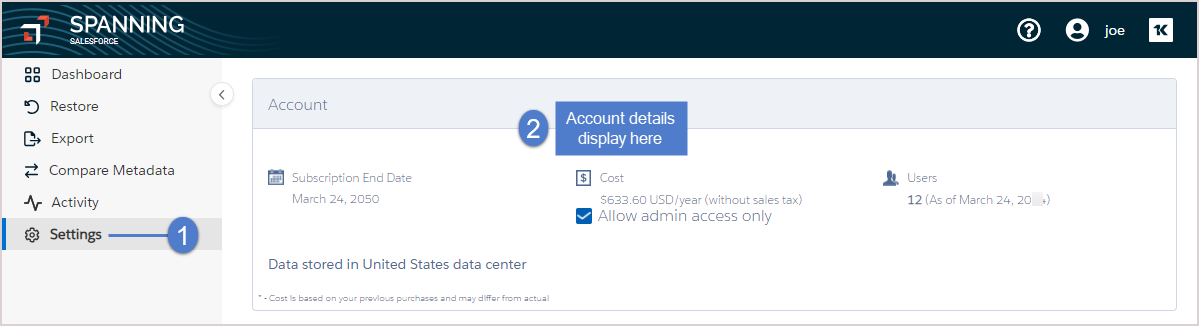
- Data stored in data center – Indicates the location of the data center where your Spanning Backup data is stored.
- Allow admin access only check box – If this box is checked, only admin users can log in to Spanning Backup for Salesforce.
- Subscription ends – End date of your Spanning Backup subscription.
- Users – Number of Spanning Backup users as of the date displayed.


