Action required: Salesforce OAuth update
IMPORTANT Salesforce has made mandatory security changes that affect how connected apps handle OAuth authentication.
These changes are part of Salesforce-wide security enforcements focused on OAuth-based integrations on AppExchange.
After the Spanning release on June 10, 2026, Spanning may stop performing backups and restores for organizations whose user profiles do not have SpanningBackup checked under Connected App Access, or whose OAuth policy is not set to pre-authorize admin approved users.
What to check
|
Step 1 OAuth policies — permitted users |
|---|
|
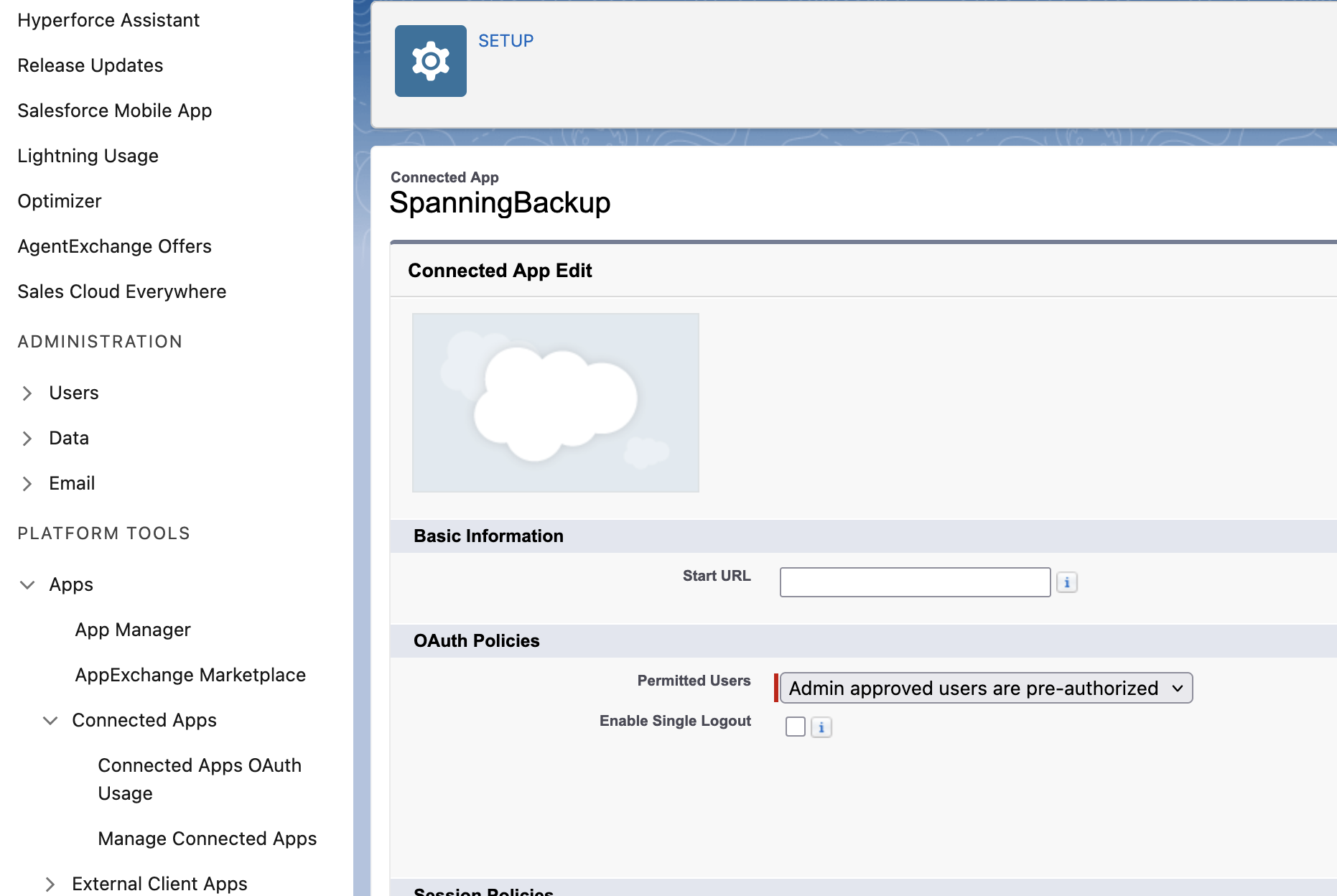
In your Salesforce org, go to Setup > Apps > Connected Apps > Manage Connected Apps. Confirm that "Permitted Users" is set to: Admin approved users are pre-authorized
|
|
Step 2 Connected app access — user profiles |
|---|
|
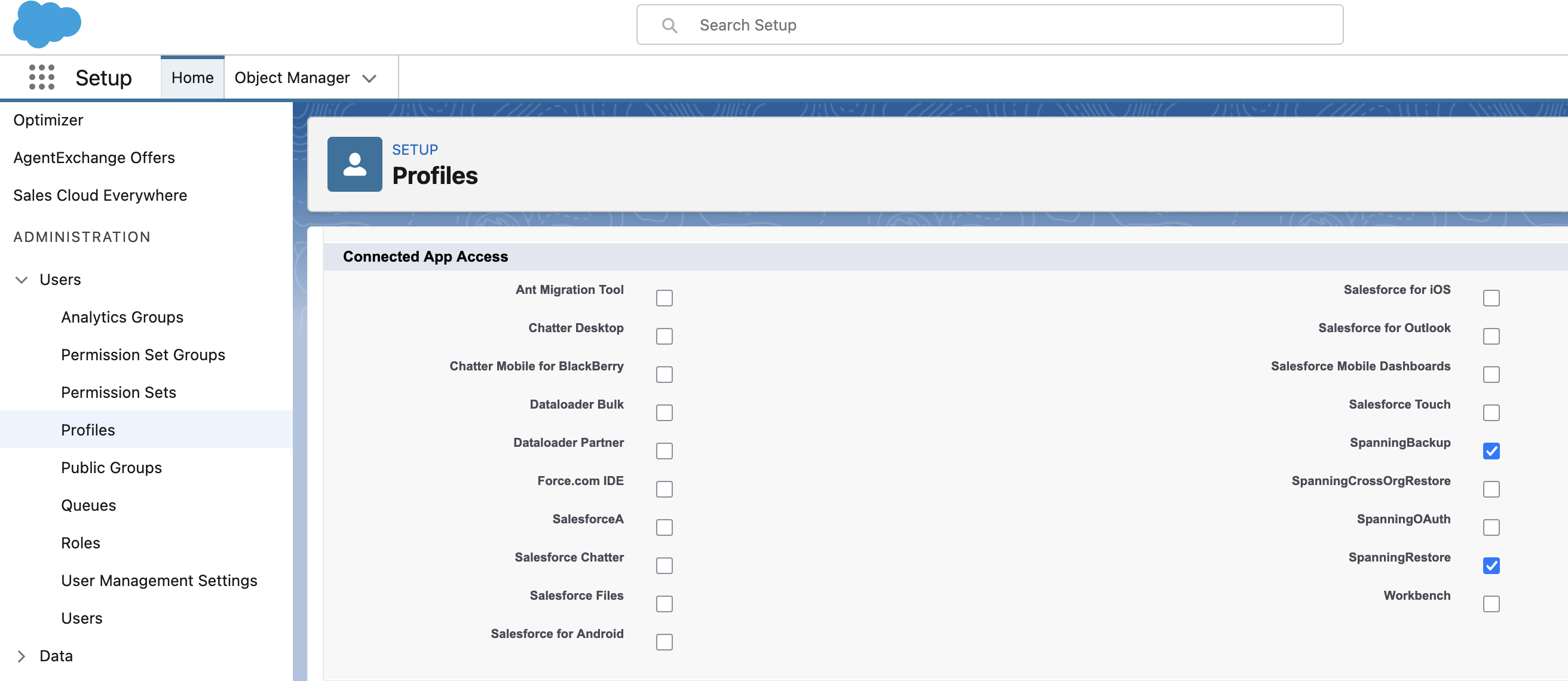
In the profile assigned to your Spanning users, scroll to Connected App Access and confirm that SpanningBackup is checked:
|
|
Step 3 Check the updated Spanning applications |
|---|
|
Go to Setup > Apps > Packaging > Installed Packages to check that the Spanning app version 2.10 is listed: If you have an older version, install an update from the Salesforce AppExchange or from these installation links:
|

Salesforce enforcement: Rolling out now
Spanning grace period: 45 days
Spanning release and deadline for updates: June 10, 2026


