The Users page displays information about the users in your Google domain. As you add users to your Google domain, they are synced to Spanning and display on this page. To view the Users page, click Users.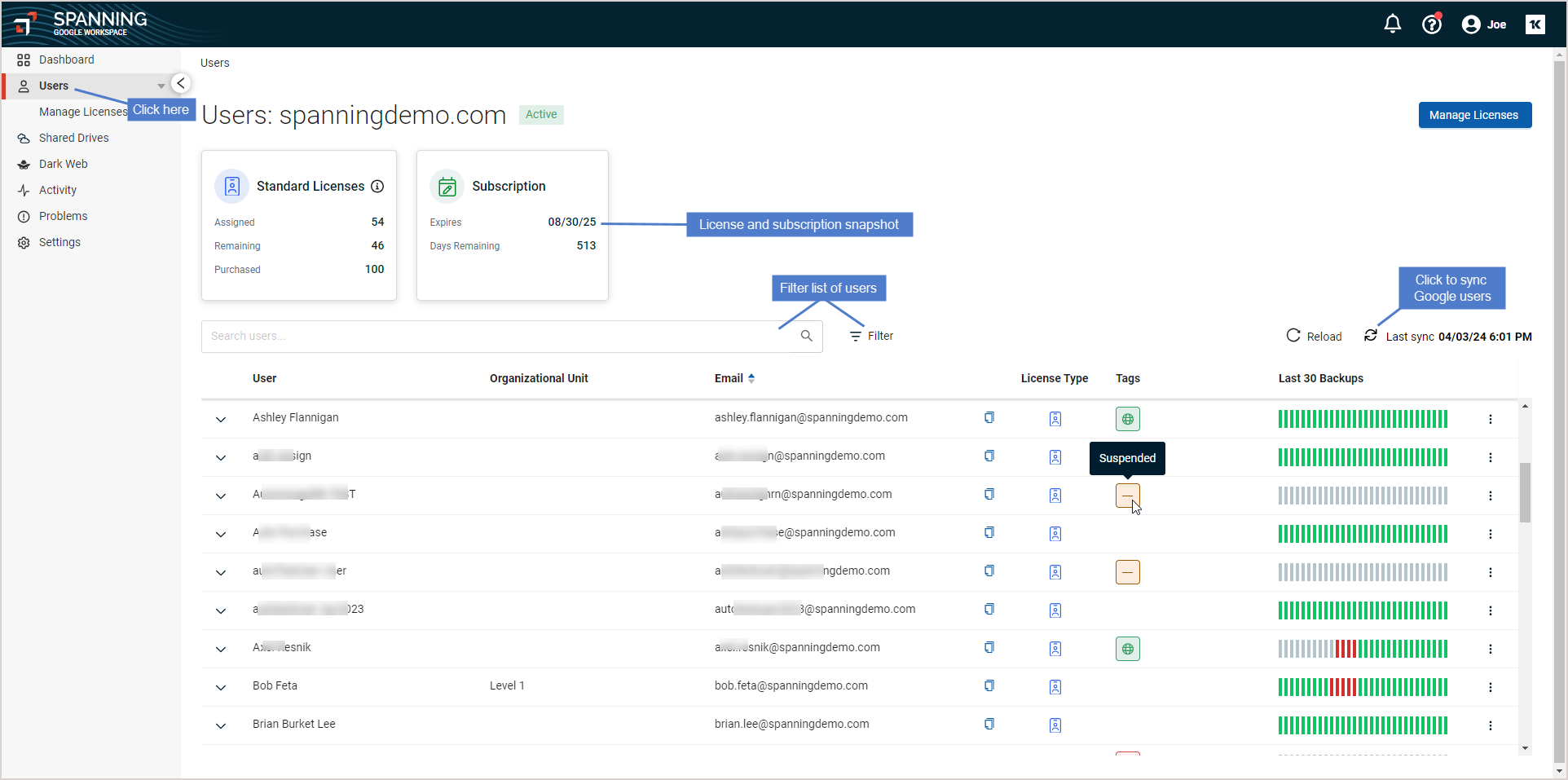
The Users page contains the following:
- Standard Licenses tile – Shows the total number of licenses purchased, assigned (in use), and remaining (unused). Spanning backs up all new and existing data for standard licenses.
- Subscription tile – Shows the subscription's expiration date and days remaining.
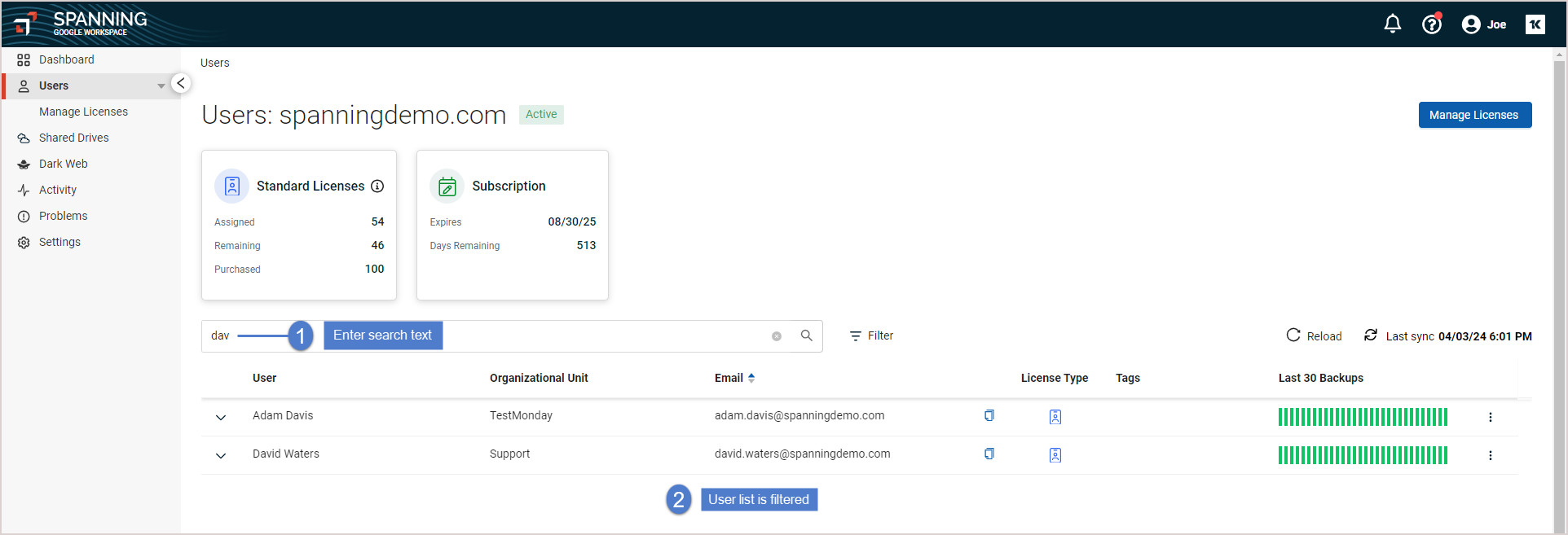
- Filter columns and search keyword field – Type in text and press Enter to filter the list of users. User names and emails containing the text you entered display in the list below.
-
 Filter – Click to filter the user list by selected criteria.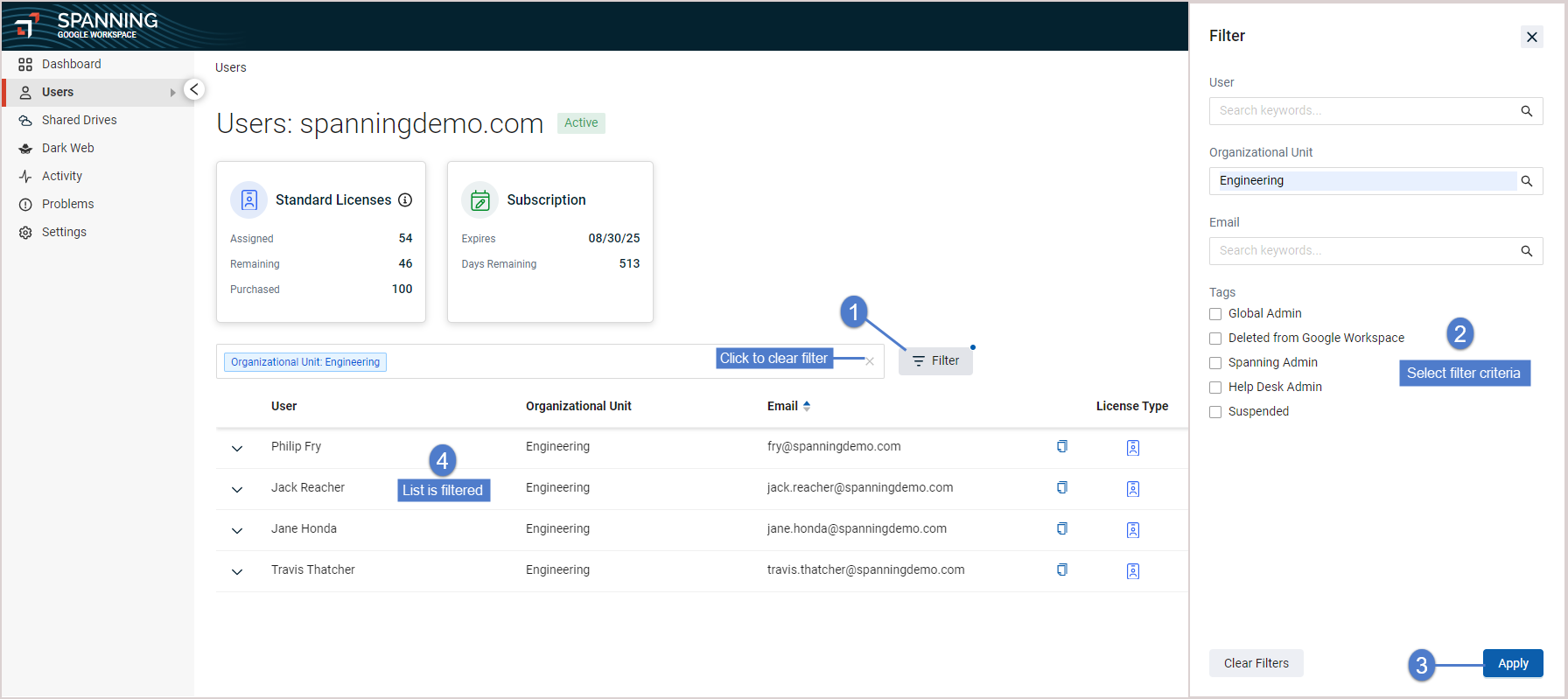
- Click a user in the list to view last backup status.
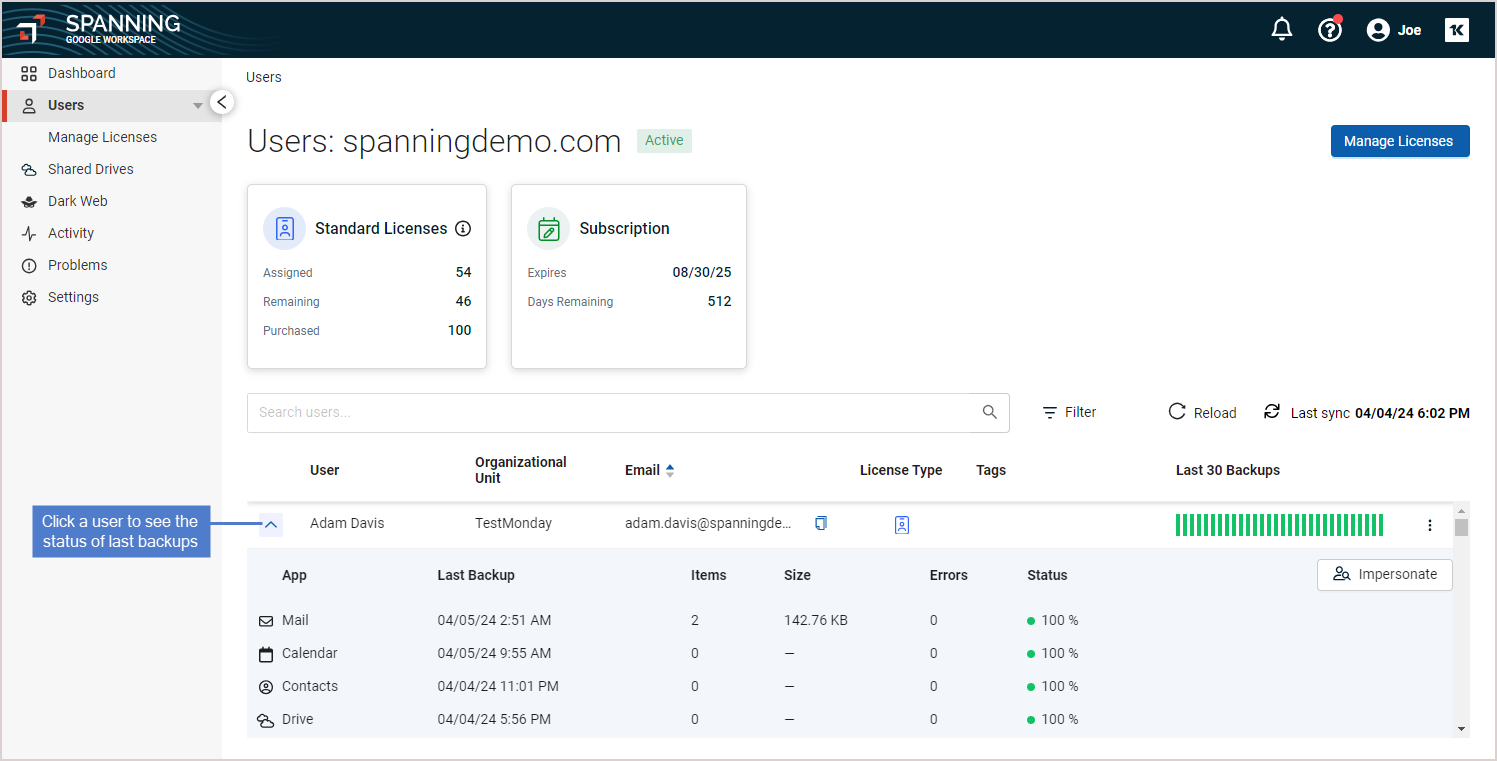
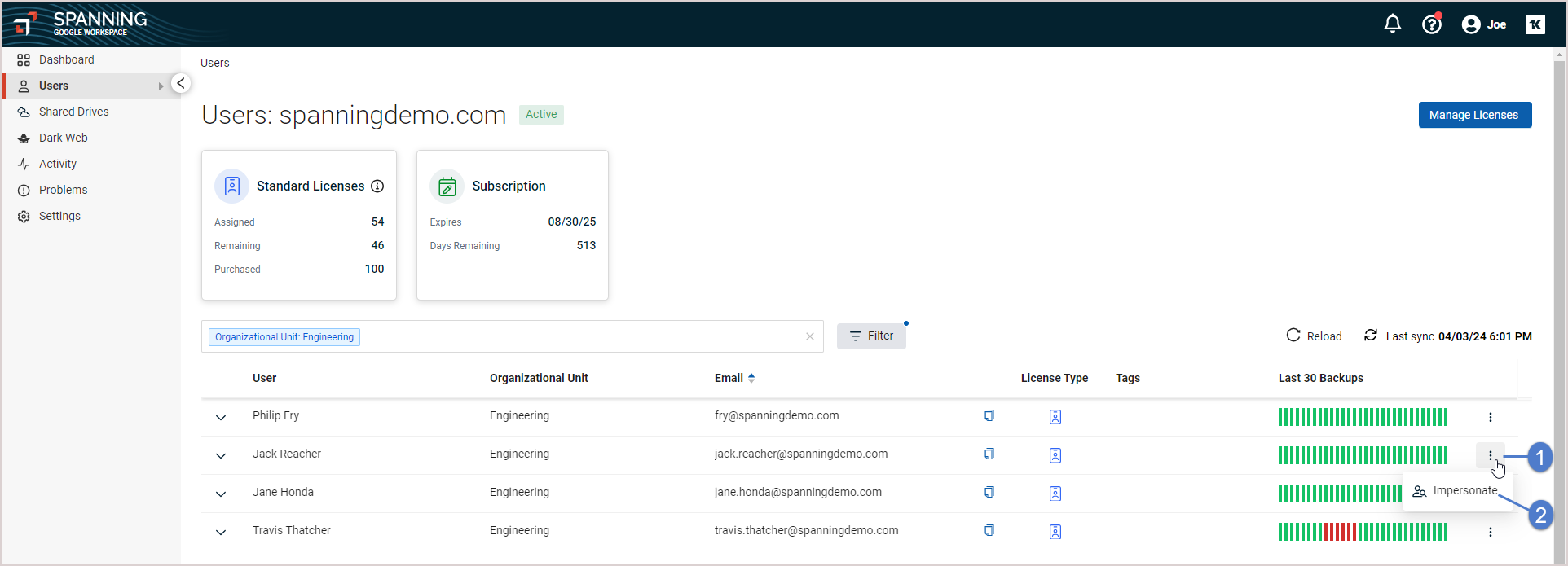
- If you are logged in as an administrator, you can impersonate a user to restore their data (see To restore or export another user's data). To impersonate a user, click the user's
 icon and select Impersonate.